Frequently asked questions
Find answers about user experience features, SDK size and other common questions after integrating the BuzzAd Android SDK.
Dark theme settings
The BuzzAd Android SDK automatically applies dark theme according to your app's theme setting.
Disable dark theme
Set your app to always use light theme in onCreate of Application.
public class MyApplication extends Application {
    @Override
    public void onCreate() {
        super.onCreate();

        // 아래 코드 추가
        AppCompatDelegate.setDefaultNightMode(AppCompatDelegate.MODE_NIGHT_NO);
    }
}
Add user inquiries for action-based ads
BuzzAd Android SDK offers rewards for actions such as watching videos, installing apps and liking Facebook pages. If a user completes an action but does not receive points, the SDK provides a service that automates inquiry (VOC) submission and handling. Follow these steps to add it.
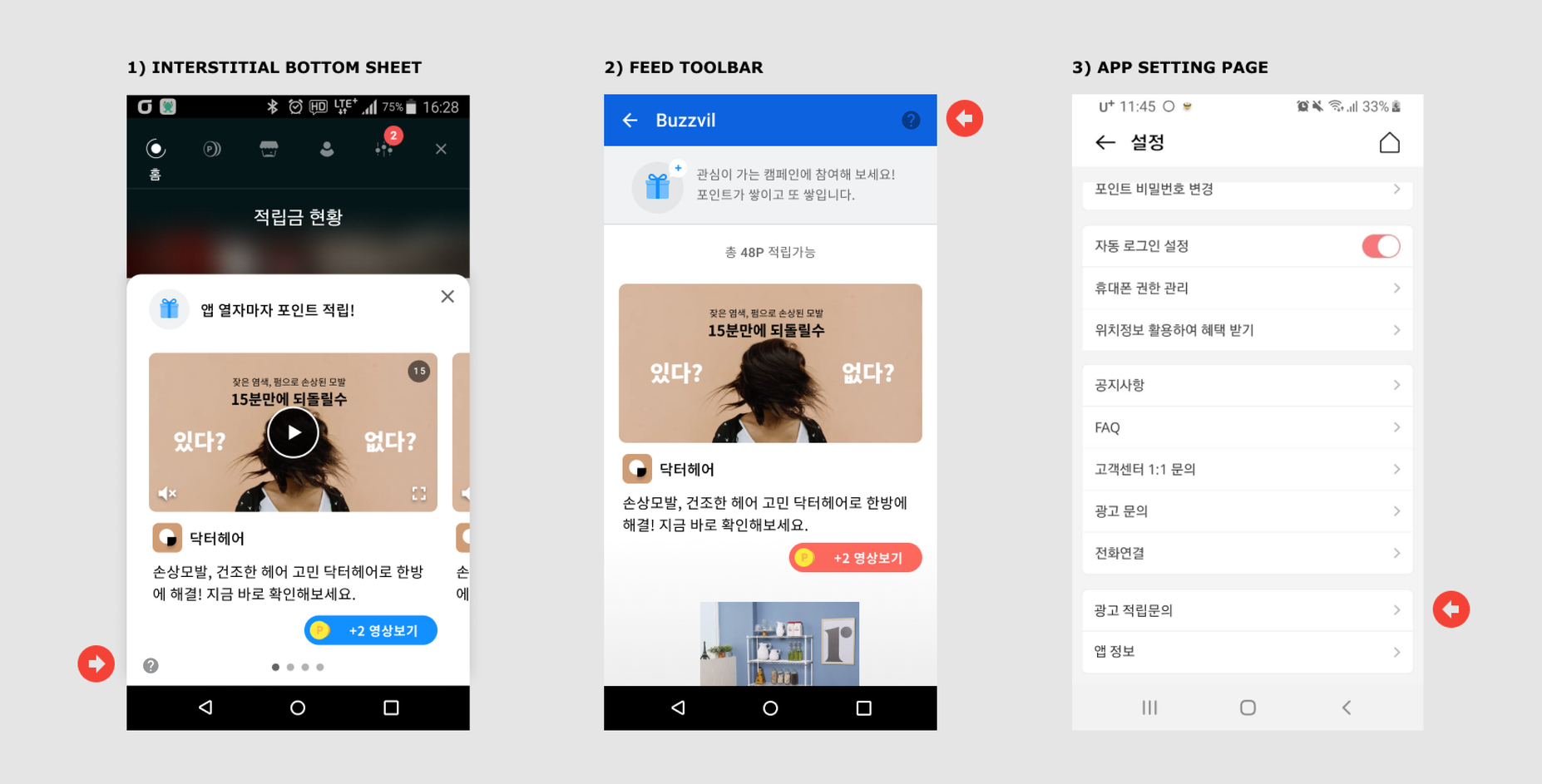
-
Design a UI element (an icon or tab) that opens the VOC support page.
-
Call
BuzzAdBenefit.getInstance().showInquiryPage(Context, YOUR_UNIT_ID)when the user clicks the UI you designed in step 1.
- The
YOUR_UNIT_IDargument is required. Use the Unit ID for the relevant placement.
Change video ad playback conditions
By default, video ads play automatically only when the device is connected to Wi-Fi. Choose one of the following autoplay settings.
- Autoplay only on Wi-Fi (default).
- Always autoplay, regardless of the connection type.
- Never autoplay, regardless of the connection type.
Use the following example to change video ad autoplay conditions.
final UserPreferences userPreferences = new UserPreferences.Builder(BuzzAdBenefit.getUserPreferences())
        .autoplayType(AutoplayType.ON_WIFI) // Wi-Fi 환경에서만 동영상 광고를 자동 재생합니다.
        // .autoplayType(AutoplayType.DISABLED) // 동영상 광고를 항상 자동 재생합니다.
        // .autoplayType(AutoplayType.ENABLED) // 동영상 광고를 자동으로 재생하지 않습니다.
        .build();
BuzzAdBenefit.setUserPreferences(userPreferences);
Check the ad type
Use the functions provided by NativeAd to identify ad types in Feed and Native.
The following ad type functions are available in NativeAd.
| Function | Description | Return value |
|---|---|---|
NativeAd.getRevenueType | Returns revenueType as a string. |
cpinsta: Awards points for following an Instagram account.cpa: Awards points for completing a specific action, such as signing up or requesting an insurance quote.cpe: Awards points for installing and launching an app.cpi: Awards points for installing an app.cpl: Awards points for following a Facebook account.cps: Awards points for completing a purchase.cpyoutube: Awards points for subscribing to a YouTube channel.cpylike: Awards points for subscribing to a YouTube channel and liking a video.cptiktok: Awards points for following a TikTok account.cpnstore: Awards points for favoriting a Naver Smart Store.cpq, cpqlite, cpcquiz: Awards points for answering a quiz correctly.cpk: Awards points for adding a Kakao page.cpc: Awards points for clicking through to the advertiser's page.cpm: The advertiser pays for every 1,000 ad impressions.cpv: Awards points for watching a video to completion.-cps: Includes all ads except cps ads.- `true`: A `cpa` ad.
- `false`: Not a `cpa` ad.
- `true`: A `cps` ad.
- `false`: Not a `cps` ad.
The following example checks the ad type using NativeAd.
public class CustomAdsAdapter extends AdsAdapter<AdsAdapter.NativeAdViewHolder> {
    @Override
    public AdsAdapter.NativeAdViewHolder onCreateViewHolder(ViewGroup parent, int viewType) {
        ...
    }

    @Override
    public void onBindViewHolder(NativeAdViewHolder holder, NativeAd nativeAd) {
        ...
        boolean isActionType = nativeAd.isActionType();
        boolean isCps = nativeAd.isCps();
        String revenueType = nativeAd.getRevenueType();
    }
}