MissionPack
Learn how to add, configure and implement MissionPack using SDK interfaces.
Key features
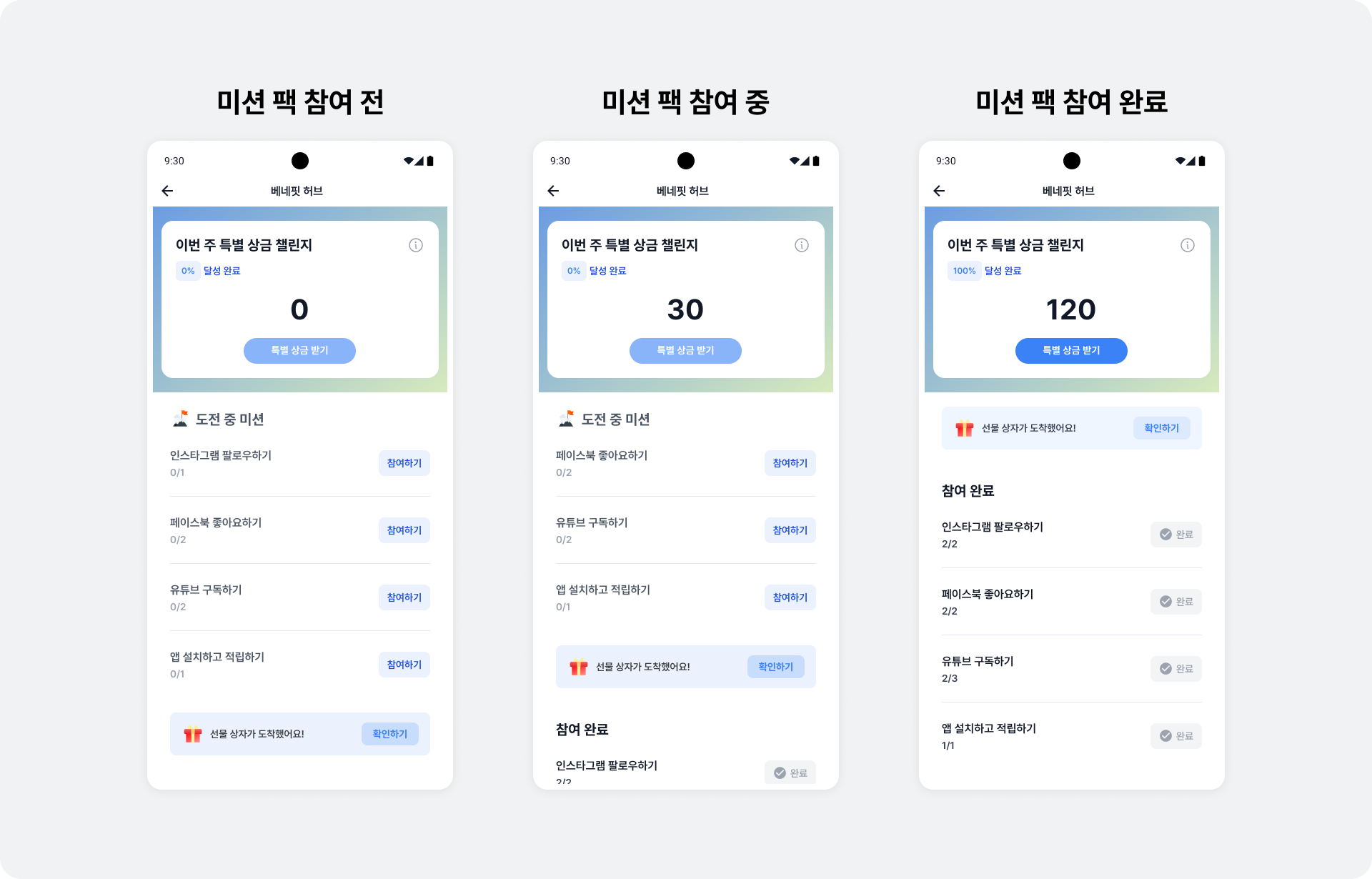
Mission Pack awards a percentage of the rewards users earn from ads as a special bonus when they complete all missions. These weekly missions start automatically on Monday and end at midnight on Sunday. Gamification introduces users to ads with strong revenue potential and can improve revenue. When a user clicks the Participate button on the Mission Pack screen, a screen opens where they can immediately engage with an ad that matches the mission.
- Choose the number of ads and missions to display.
- A clean, polished, user-centered UI and UX
- Customize a wide range of UI settings without changing code.
- Adjust bonus reward rates based on revenue and user engagement.
- Support for opening the Mission Pack screen first when displaying BenefitHub
Integration
Follow these steps to integrate the MissionPack placement.
Step 1. Prepare
- Complete Getting started.
- A Unit ID for MissionPack, referred to below as
YOUR_MISSION_PACK_UNIT_ID.
Step 2. Display MissionPack
Follow these steps to display MissionPack.
- Call
BuzzMissionPack.isAvailable()to check whether MissionPack is available. - Call
BuzzMissionPack.showMissionPack()to launch MissionPack.
The following example launches MissionPack from MainActivity.kt. Use the Context and CoroutineScope appropriate to your implementation.
import com.buzzvil.sdk.BuzzMissionPack

fun showMissionPackSis() {
  lifecycleScope.launch {
    // 반드시 isAvailable을 통해 미션팩이 사용 가능한 상태인지 확인해야 합니다.
    if (BuzzMissionPack.isAvailable(unitId = "YOUR_MISSION_PACK_UNIT_ID")) {
        // 미션팩이 별도의 액티비티로 실행됩니다.
        BuzzMissionPack.showMissionPack(unitId = "YOUR_MISSION_PACK_UNIT_ID", context = this@MainActivity)
    } else {
      // 여기에 적절한 예외 처리를 추가하세요.
      Toast.makeText(this@MainActivity, "MissionPack is not available", Toast.LENGTH_SHORT).show()
    }
  }
}