In-app Pop
Learn how to add in-app Pop, implement its features and customize icons and other design elements.
Key features
In-app Pop appears over an activity while users are in your app and provides an entry point to BuzzBenefit. It uses the same UI as Standard Pop but needs no permission to draw over other apps. Unlike an Android floating action button, users can move it freely within the activity and close it.
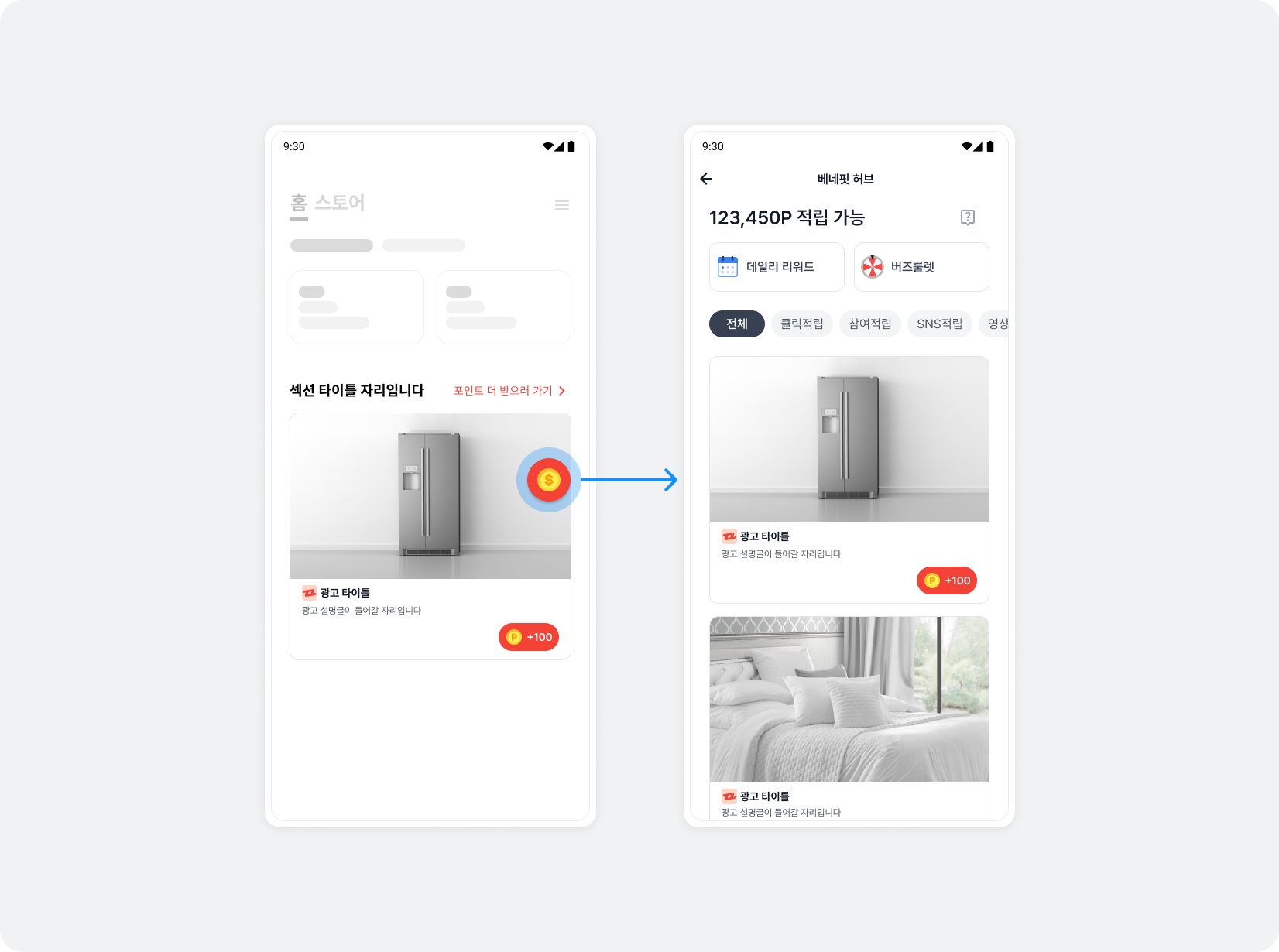
Integration
Follow these steps to add in-app Pop.
Step 1. Prepare
- Complete BuzzBenefit integration.
- Add the Pop dependency to your Gradle file.
dependencies {
    implementation "com.buzzvil:buzzad-benefit-pop"
}
Step 2. Show or hide in-app Pop
Call show() in the activity's onResume() to show in-app Pop, and hide() in onPause() to hide it.
The following example displays in-app Pop.
import com.buzzvil.buzzad.benefit.pop.inapppop.BuzzAdInAppPop

class MainActivity : AppCompatActivity() {
    private lateinit var buzzAdInAppPop: BuzzAdInAppPop

    override fun onCreate(savedInstanceState: Bundle?) {
        super.onCreate(savedInstanceState)
        buzzAdInAppPop = BuzzAdInAppPop.Builder(this).build()
    }

    override fun onResume() {
        super.onResume()
        buzzAdInAppPop.show(this)
    }

    override fun onPause() {
        super.onPause()
        buzzAdInAppPop.hide()
    }
}
UI configuration
Learn how to customize the in-app Pop button provided by Buzzvil SDK.
In-app Pop button icons
Configure BuzzAdInAppPopTheme to change the default and reward icons.

| Icon type | Code | Description | Recommended size |
|---|---|---|---|
| Default icon | iconResId | The default Pop button icon. |
|
| Reward icon | rewardReadyIconResId | Shown when points are available to earn. |
|
The following example changes in-app Pop icons.
import com.buzzvil.buzzad.benefit.pop.inapppop.BuzzAdInAppPop
import com.buzzvil.buzzad.benefit.pop.inapppop.BuzzAdInAppPopTheme

val buzzAdInAppPopTheme = BuzzAdInAppPopTheme.getDefault()
    .iconResId(R.drawable.your_pop_icon_default) // (선택) Pop 버튼의 기본 아이콘
    .rewardReadyIconResId(R.drawable.your_pop_icon_reward) // (선택) 적립 가능한 포인트가 있는 경우의 Pop 버튼 아이콘

buzzAdInAppPop = BuzzAdInAppPop.Builder(this)
    .theme(buzzAdInAppPopTheme) // 위에서 생성한 객체 전달
    .build()