Buzzvil SDK 6.2.3 (Android, July 2025)
🔥 Important announcements
Update to the latest SDK for Android 15 support
- Required version: Buzzvil SDK 6.2.x or later.
- Update deadline: August 31, 2025.
- Risk of not updating: Store review rejection or crashes that prevent app use.
Buzzvil periodically provides guidance on store policy and development environment changes to support sustainable app development and operation. If you do not update to the latest Buzzvil SDK by Google Play's Android 15 deadline, your app may fail store review or crash. Update to the latest SDK by August 31.
Key changes for Android 15 policy compliance
The main changes affected by Android 15 policy are listed below.
| Key change | Description |
|---|---|
| Lock screen and Pop reliability | Android 15 introduces new restrictions on starting foreground services from the background for apps with SYSTEM_ALERT_WINDOW permission. The SDK has been updated to keep the lock screen and Pop UI working reliably under these restrictions. |
| Edge-to-edge display and WindowInsets | Android 15 applies edge-to-edge display by default, drawing content beneath system bars and display cutouts. The SDK uses the WindowInsets API to avoid overlap with system UI and position interface elements appropriately. |
| 16 KB memory page support | Android 15 supports 16 KB memory pages on 64-bit devices. Apps using NDK libraries must be rebuilt to support this page size. The SDK has been updated to support 16 KB pages. |
BuzzBanner: migrate to AdCash 3.x
We adopted AdCash 3.x for Android 15 support. If you use BuzzBanner, follow these steps to migrate.
1. Add a repository
repositories {
    maven {
        url "https://dl.cloudsmith.io/public/avatye/android-adcash/maven/"
    }
    // 다른 저장소들...
}
If you use Cauly, update your build.gradle as shown below.
Before
// 프로젝트 레벨의 build.gradle
allprojects {
    repositories {
        maven {
            url "s3://repo.cauly.net/releases"
            credentials(AwsCredentials) {
                accessKey "AKIAWRZUK5MFKYVSUOLB"
                secretKey "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"
            }
        }
    }
}
After
// 프로젝트 레벨의 build.gradle
allprojects {
    repositories {
        maven { url 'https://cauly.github.io/cauly-sdk-android-maven/maven-repo' }
    }
}
2. Add or update implementation dependencies
Before
def adCashVersion = "2.x.y.z"
implementation "com.avatye.cashblock:ad-plus-cauly:$adCashVersion"
implementation "com.avatye.cashblock:ad-plus-pangle:$adCashVersion"
implementation "com.avatye.cashblock:ad-plus-unity:$adCashVersion"
implementation "com.avatye.cashblock:ad-plus-vungle:$adCashVersion"
After
// 사용 중인 미디에이션만 마이그레이션하면 됩니다.
def adCashVersion = "3.0.0.22"
implementation "com.avatye.adcash:archive-cauly:$adCashVersion"
implementation "com.avatye.adcash:archive-pangle:$adCashVersion"
implementation "com.avatye.adcash:archive-unity:$adCashVersion"
implementation "com.avatye.adcash:archive-vungle:$adCashVersion"
🚀 New features
EntryPoint
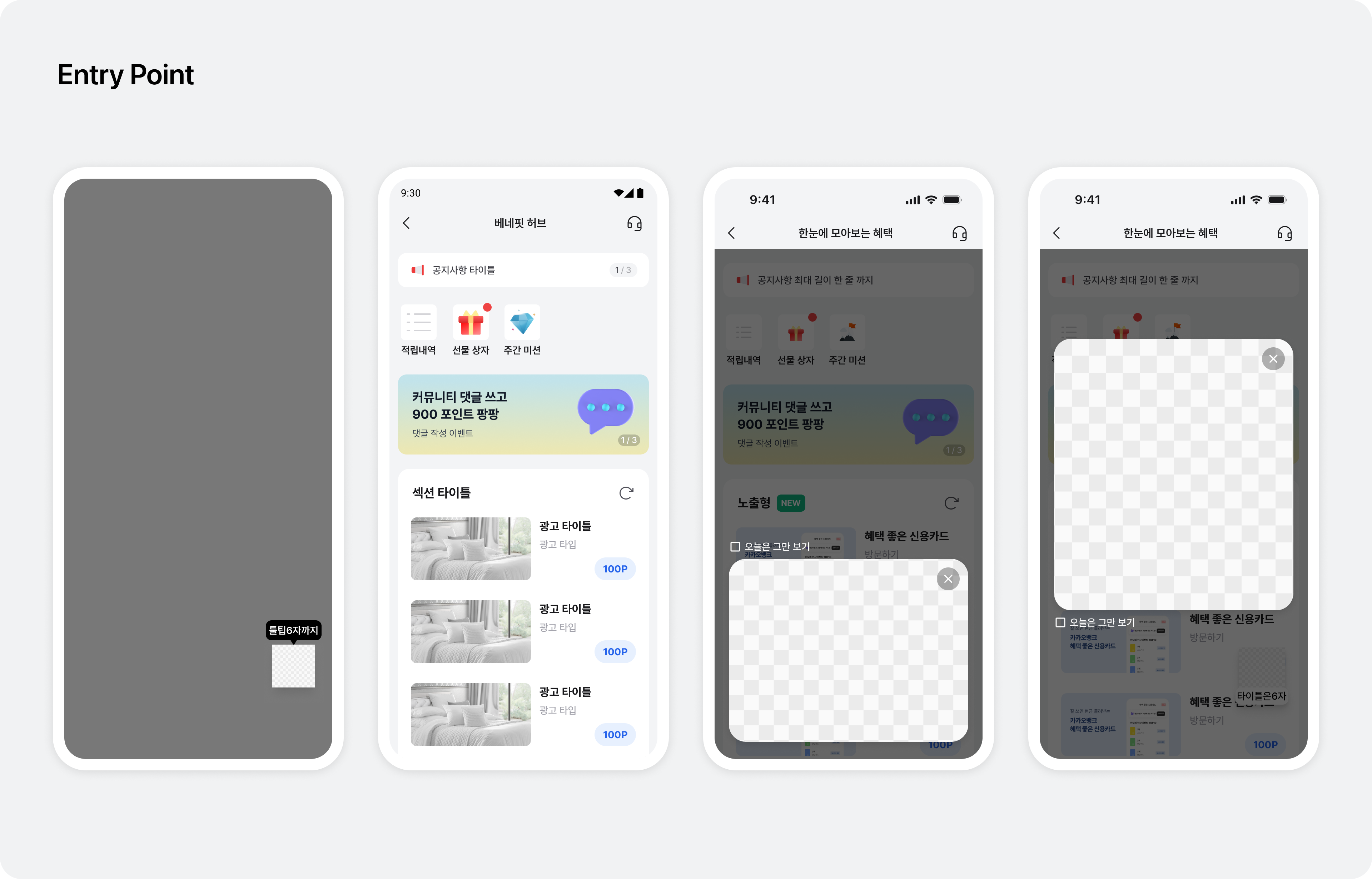
Introducing EntryPoint
EntryPoint is a content entry component that fits naturally into different areas of your app. It helps users reach content easily while preserving the flow of your service.
Multiple UI types
Choose from floating buttons, banners, bottom sheets, popups and custom UI to suit your goals and user experience.
Flexible placement
Place EntryPoint on your app's main screen or subpages to promote content in locations that fit your service structure.
Buzzvil SDK 5.36.0 (Android, July 2025)
Completed updates for Android 15 policy compliance.