BuzzAd 3.0.x / BuzzScreen 3.36.x (Android, December 2021)
Important!
- BuzzAd's major version has changed from 2.x.x to 3.x.x. The new version uses Kotlin 1.5, so existing BuzzAd integrations must complete a migration when upgrading. See here for details.
- Android 12's policy change (Behavior changes: all apps > Untrusted touch events are blocked) can prevent taps outside Pop while it is displayed. We updated the UI based on the policy's exceptions to address this issue. This update applies only to users on Android 12 and later. See Pop button transparency for details.
🚀 New features
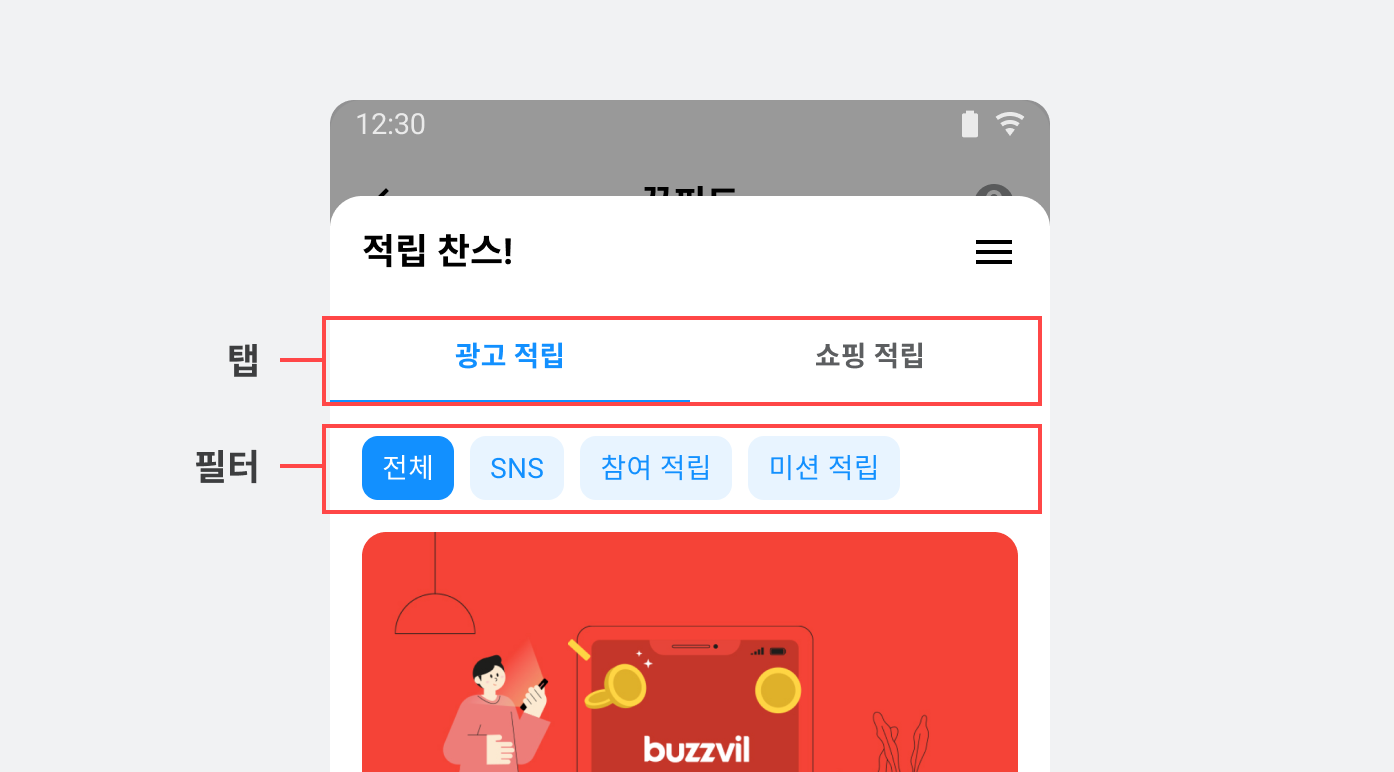
Configure more Feed features without writing code
Feed features that previously required SDK implementation can now be changed with a request. Experiment with ad types, user engagement and messaging while focusing on your service. Flexible configuration helps you make better use of Feed to improve revenue and the user experience.
- Enable or disable infinite scrolling in Feed.
- Supported number of tabs: 1–3.
- Rename tabs and choose the ad types shown in each tab.
- Ad filters that users can apply themselves.
Ad category tabs and filters that can be changed without editing code
📈 Improvements
Pop button transparency
The Pop button now uses transparency to accommodate Android 12's restrictions on touch events through overlays and keep the app working reliably.
Added a Sentry integration interface to collect crash reports
Sentry is now included by default to improve SDK reliability. It collects errors and crashes in real time to help us resolve issues faster. If your app already uses Sentry separately, follow the instructions here.
Improved global theme management for the SDK's default UI
Instead of setting the theme in a styles.xml resource file, you now configure GlobalTheme in your BuzzvilTheme class using Java or Kotlin. This makes it easier to configure and manage the theme across all placements in your app. See here for instructions on setting a global theme with GlobalTheme.
🐛 Bug fixes
- Updated consent handling when users press Back on the personal information consent screen without making a selection.
- Fixed overlap between a custom video play button and the SDK's default play button.
- Fixed video ads not displaying correctly when using
setVideoPlayerOverlayView.